Your phone, your rules
Video chat app permissions on a phone come down to one question: when may an app use your camera and microphone? Choose while using the app or ask every time, then check the list after you talk to strangers.
Strictly 18+ · After an 18+ tick our video chat opens; then the browser wants your camera and mic.
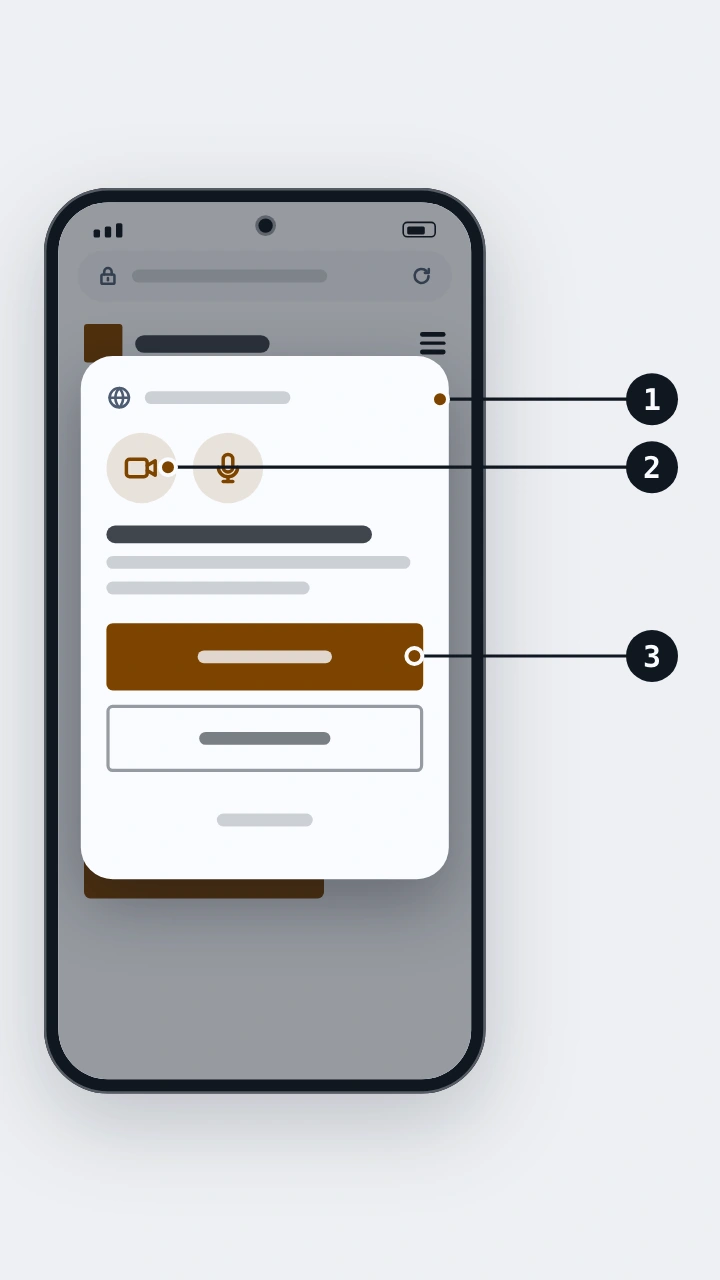
What do Android's three camera choices mean?
Open Settings > Apps > Permissions and pick Camera or Microphone. Every app listed there holds one of three answers, as Google's help describes them.
Allow only while using the app suits a chat app you open most weeks. Ask every time suits one you're still testing. The phone checks with you again on each use. Don't allow suits an app you've given up on. Deleting it is tidier still.
Think of the three as green, amber and red. Video chat needs both lens and microphone. Block either and the app shows a black tile or silence. That's how video chat app permissions are meant to work: the setting doing its job, not a fault.
Where does an iPhone list apps with camera access?
Go to Settings > Privacy & Security > Camera, as Apple's iPhone guide shows. Every app that ever asked for the camera sits there with its own switch. The Microphone list, one row down, works the same way.
Scroll both lists after a spell of trying new apps. Anything you don't recognise, or no longer use, can lose its switch in a second. Chrome and other third-party browsers appear here too. Switching one off leaves every website inside it without a camera.
How can you tell which app used the camera?
Your phone keeps score. On an iPhone, the status bar turns orange while an app has the microphone. It turns green while the camera is on, with or without sound. Open Control Centre and a line at the top names any app that used either recently.
On Android phones, a small indicator appears in the top-right corner whenever the camera or microphone is running. A tap on it reveals the app responsible. If either signal shows up when you're not on a call, find that app and change its answer.
Does a mobile browser need these permissions too?
Yes, and twice over. First the phone has to allow the browser to use the camera. After that, every website needs its own yes from the browser.
When Chrome asks, tap Allow while visiting the site for a chat you trust. Changed your mind? Go to More > Settings > Site settings > Camera, then tap the site sitting under Blocked to switch it back.
That double lock is what sets a browser apart from an installed app. The trade-off between browser and app has a full explainer of its own.
Which chat services on record come as phone apps?
Few do. Of the ten chat services this site tracks, OpenTalk and Yapping list apps on Google Play. Those two are where the three-choice permission screen will greet you.
The rest run in a mobile browser, and none has a confirmed iPhone app. On an iPhone, then, the permission you manage is your browser's.
What should you tidy up after a call?
Two minutes of housekeeping. Close the chat and glance at the status bar. Switch any app you've finished with to Don't allow, or at least to Ask every time. Revisit your video chat app permissions like this every month or so.
Starting a chat, not finishing one? A five-minute checklist for your first random chat runs through camera, sound and exits. Every other post, and the chat itself, sits on the home page for meeting people online.
The whole idea on one card
Give a video chat app the camera and microphone only while you're using it, or make it ask every time. On an iPhone, Privacy & Security keeps a Camera list and a Microphone list, one switch per app. If the orange or green light shows while you're not chatting, track down the app and take its access away.
Apps on record
Each app line reflects what the service showed publicly; nothing was downloaded and no account was opened. Paths such as Settings > Apps > Permissions are quoted from Google's and Apple's own help.
OpenTalk OpenTalk: a browser chat, plus an app listed on Google Play
Yapping Yapping: a Google Play app, and no App Store badge found
Chatib Chatib: says it runs in phone browsers; no store app mentioned
Camgo Camgo: says video and text chat work in phone browsers, without store badges